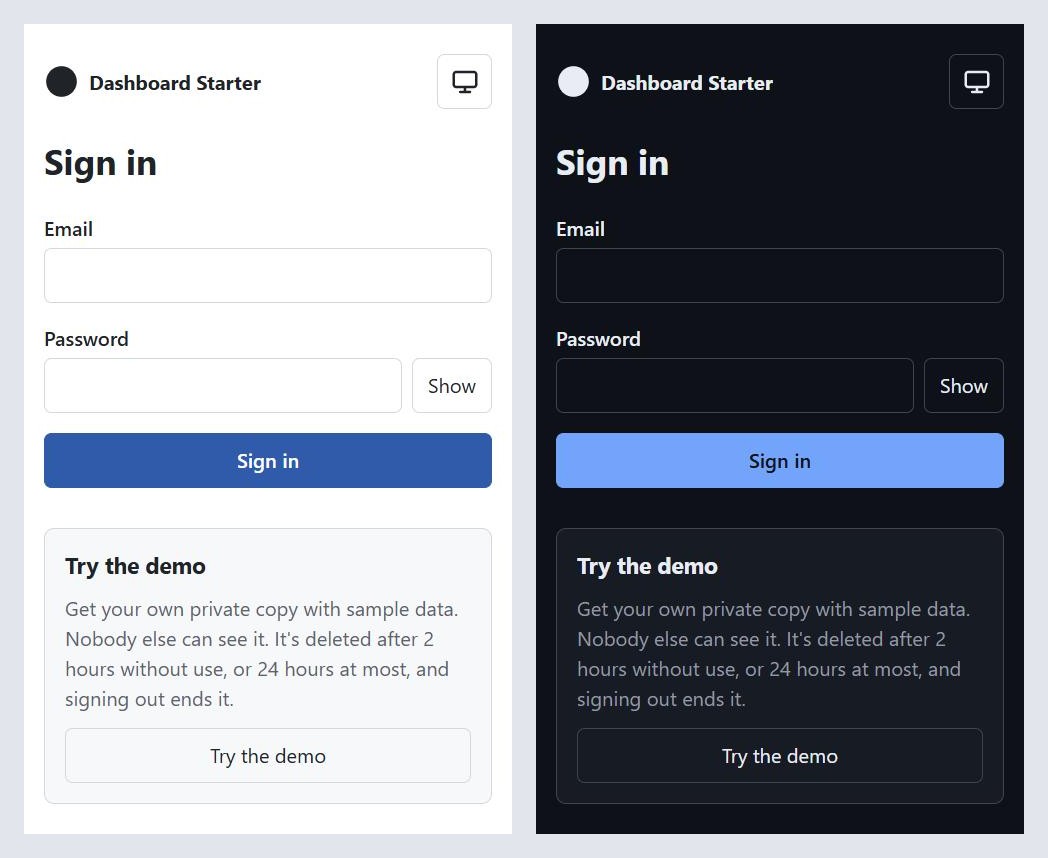
Step 8 is live. Open dashboard.mvmorten.com and click "Try the demo". You get your own copy of the app: two tenants, five people, and an admin's controls that actually work. Nobody else can see it, and it's gone when you sign out.
This post was supposed to be about the CRUD module. It isn't, and the reason is the most useful thing that happened this week.
The plan that kept growing workarounds
The CRUD module adds the first data people can create and edit. Planning it meant answering a question step 7 had dodged: the demo account is shared and public, so can it edit records?
Each answer needed a workaround. If it can edit, someone will type something offensive and the next visitor sees it, so add a cap on rows. Then reset the data on a schedule. Then pick where the schedule runs: a GitHub Action (no, I didn't want one), a timer in the app, a reset whenever someone signs in, an admin page with a reset button. The admin page needed someone who's an admin of the whole site, which the app doesn't have, and would have meant building that first.
Step 7 had already paid for sharing. The demo account could see the Members page but every control was greyed out, with a notice explaining why. It showed what an admin would see, not what an admin can do.
About halfway down that list, I stopped and asked a different question.
Michael's tip
Could we just add a new tenant per demo user, and not allow a shared demo user at all? I think by doing that we avoid a lot of this artificial nonsense.
That's what step 8 became, and the CRUD module moved to step 9.
What a sandbox is
Clicking "Try the demo" creates, in one database transaction:
- a user with no password, on the reserved domain
demo.invalid, so the address can't belong to anyone real; - a "Demo" tenant where you're an Admin, and an "Other Demo" tenant where you're Read-only;
- four sample members, Sam, Priya, Lee and Jordan, who belong to your sandbox and nobody else's.
Then it signs you in with the same cookie a normal sign-in uses. The contents of a sandbox are defined once, in SandboxDefinition.cs.
Inside your own tenants you're a normal account. The step 7 notice and the API's refusals for demo users are gone, so you can change roles and disable people for real. Switch to Other Demo and the controls disappear, because there you're Read-only. That was the idea in post 7, and now it's real instead of greyed out.
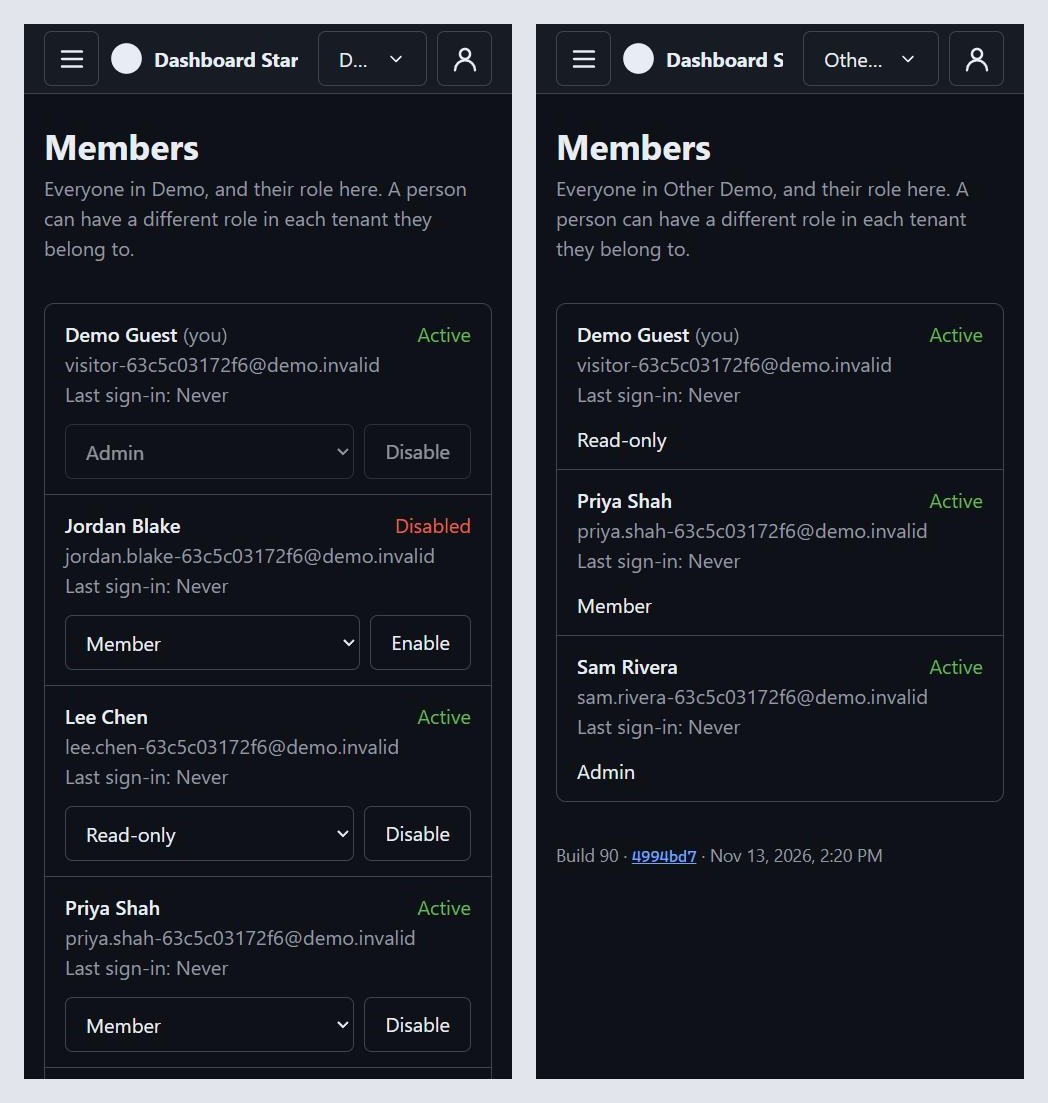
The sample members needed a decision. Emails are unique across the whole database, so the four sample people are either shared users every sandbox points at, or new users for each sandbox. Shared ones would read better on the Members page. Per-sandbox ones mean every row a sandbox owns dies with it, with no exceptions for cleanup to remember. The emails are uglier ([email protected]), and that was the right trade.
What a demo account still can't do
Some refusals stayed, and the rule for which ones is simple: a sandbox must never turn into a permanent account.
So a demo user can't set a password, can't get a reset email, and the command line won't give one a password or a role. Without a password, the "Try the demo" button is the only way in. That's also why signing out ends a sandbox: there's no way back into it.
One step 7 exception went the other way. The shared account was exempt from lockout, because its password was published and anyone could lock it for everyone. With no shared password, lockout applies to every account again.
Expiry, and why it has two clocks
A sandbox is deleted after 2 hours without use, or 24 hours at most. Each use moves the idle clock forward, at most once a minute, inside the session check every request already makes.
The first plan had only the 24-hour limit. The idle clock came from Claude Code, in answer to a problem with the abuse limits, and it's what makes them work.
There are two limits on the "Try the demo" endpoint, because it's anonymous and it writes to the database:
- 10 new sandboxes per hour per address, using ASP.NET Core's built-in rate limiter. A sliding window, not a fixed one, so clicking just before and just after a window turns over doesn't double the limit. It's per IPv4 address or IPv6 /64, the same key sign-in already used.
- 500 active sandboxes at most. Past that, the button says "The demo is busy, try again later."
With only a 24-hour lifetime, someone with a few dozen addresses could fill all 500 places in an hour and keep the demo busy for a day. With the idle clock, a sandbox nobody uses is gone in two hours, so filling the cap takes steady work.
Cleanup: the starter's first background job
Expired sandboxes have to be deleted by something. That something is a BackgroundService in the API, on a PeriodicTimer: once at startup, then every hour. Both are built into .NET, so no scheduling library.
using PeriodicTimer timer = new(_options.CleanupInterval);
do
{
  await RunOnceAsync(stoppingToken);
}
while (await timer.WaitForNextTickAsync(stoppingToken));
A run that fails is logged, and the timer carries on.
The rules say the API never changes the schema, and nothing runs migrations from a hosted service. This doesn't break either rule. Cleanup is data work, with the API's own login, the same login that serves requests. It needs no extra secret, firewall rule, or schedule outside the app.
Three details make it safe:
More than one instance. App Service can run two copies of the app, and each would run cleanup. Cleanup takes a database lock (sp_getapplock) first, so one cleans and the other skips that run. CI proves a second instance is blocked.
No exemption from Row-Level Security. The easy way for a background job to delete across tenants is a login that RLS ignores. That's a hole: point a fork's API at that login by mistake and tenant isolation is off, with no error. Instead, cleanup works on each tenant's rows on a connection with that tenant set, exactly as a request does.
Every table, including ones that don't exist yet. Step 9 adds Customers, and every fork adds its own tables. If cleanup doesn't know about a table, deleting a sandbox either fails on a foreign key or leaves rows behind. So cleanup lists its tables, children first, and with sandboxes on, the API refuses to start if any table has a TenantId column or a foreign key to Users or Tenants that the list doesn't include. The error names the column and the file to change. A forgotten table fails on your machine, not quietly in production.
Off by default
A fork shouldn't get an anonymous "create an account" button it didn't ask for. So sandboxes are off unless Demo:SandboxesEnabled is on. Off means no button, a 404 from the endpoint, and no cleanup job.
Development turns it on, so the button works locally too. The live demo gets it from the deploy, which writes the App Service setting from a variable that already existed. Nothing to set by hand.
Locally there's also a normal account again. seed makes [email protected], a Member in one sample tenant and an Admin in the other, with a local-only password.
Retiring the shared account
The live database still had the step 7 account, [email protected], its four sample members, and its two tenants.
Migration 0012 marks them as expired, and cleanup removes them like any other sandbox. It's the one place in the code that finds demo rows by name, because those tenants are older than the flag that marks demo tenants. It only touches a tenant that the old demo user belongs to, so a real tenant that happens to be called "Demo" is safe. A CHECK constraint backs it up: only demo rows can have an expiry at all, so a real user or tenant can never expire, even through a bug.
CI tests the upgrade properly this time. It builds a database with step 7's own code, pinned to the step 7 commit, then migrates it with this build. The shared account's rows go; the real tenants stay.
What went wrong
CI failed on the first push. A new check confirms that with sandboxes off, the endpoint really isn't there. It fetched an antiforgery token over plain HTTP, but in Production mode that cookie is Secure, so the API answered 500 instead of 404. The other cookie checks already pretended to be HTTPS behind a proxy. The new one does too now.
The deploy deletes the old settings, not blanks them. The shared account's email and password were App Service settings. The deploy now removes them outright, so nothing stale stays behind, and it's safe to run again when they're already gone.
Working with AI on this
Same setup: one AI to plan and write the brief, Claude Code to build. This step's story is mostly about planning.
The brief was rewritten several times before any code. CRUD with a shared demo, then CRUD with a reset, then sandboxes first, then sandboxes as their own step with CRUD moved to step 9. Claude Code read the code and came back with questions before writing anything, each time. That took one evening of back and forth. Building the first version would have taken longer, and thrown away more.
Reading the code answered half the questions. The brief asked how to set the tenant on each connection, where to put the row version, and how to read the client's IP address behind Azure. All three were already in the code. Claude Code also found there's no sessions table, so ending a sandbox's session just means deleting its user, and no "change email" feature that a sandbox could use to become permanent.
The two AIs checked each other. The planning side caught that cleanup would also need tables that point at users without belonging to a tenant, like a future audit log, and that the step 7 sample members needed expiring too. Claude Code caught that the brief's "identify demo tenants the way the setup does" was wrong, because the setup found them by name, and added the flag.
The security review was the real one this time. Post 7's review was done by a separate agent, because the cloud session didn't have the command. This time the session had it, and /security-review ran on the PR. It found nothing: tenant scoping, the cleanup guards, demo users kept out of every password path, and antiforgery on the anonymous endpoint all held.
What's next
Post 9 is the CRUD module, for real this time: Customers, the first table that belongs to a tenant, so Row-Level Security finally switches on. It brings the first permissions beyond members, which is where Member and Read-only split, and the optimistic concurrency the conventions have promised since step 2, with a three-way merge when two people edit the same record.
The sandboxes make that easy to try on the live demo: open the same customer in two tabs and save both.
The code for this post is tagged v0.8. Click "Try the demo", demote Sam, disable Priya, and then sign out and watch it all disappear. Tell me what breaks.